

Introduction
This setting modifies AUTO mode programming by creating a buffer for temperature and humidity triggers. This establishes a different shut-off point for the triggers and creates an on/off bandwidth that prevents the device from reacting too quickly to small climate fluctuations. You can set a buffer value for temperature triggers and a buffer value for humidity triggers. The buffer behaves differently for high and low triggers. On the controller, you access the buffer settings by pressing the gear button until you reach "Buffer Temperature" and "Buffer Humidity." This setting is only available on smart outlet controllers and the CONTROLLER 69 PRO. Additionally, outlet adapters must be plugged into the CONTROLLER 69 PRO for the buffer setting to appear on the corresponding ports.
Temperature Buffer (for High Temperature Triggers)
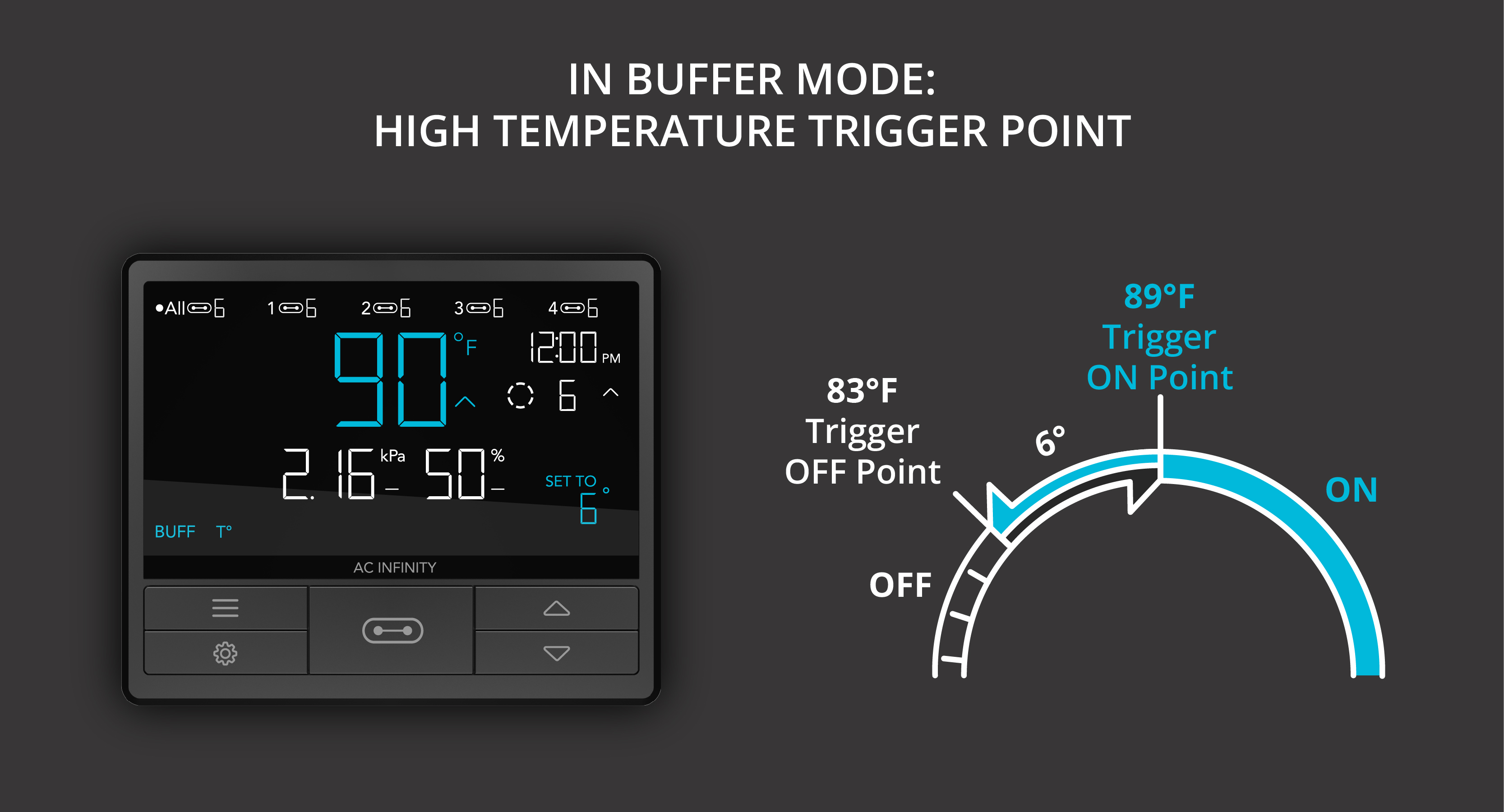
For high temperature triggers, the buffer creates a shut-off point below your set value. Example: if you've set a high temperature trigger at 90°F (32°C) and set the temperature buffer to 5°F (3°C), your device turns on as soon as the temperature reaches or rises above 90°F — and won't turn off again until the temperature drops below 85°F. The value 85°F results from subtracting the temperature buffer (5°F) from the high temperature trigger (90°F).
Temperature Buffer (for Low Temperature Triggers)
For low temperature triggers, the buffer creates a shut-off point above your set value. Example: if you've set the low temperature trigger at 50°F (10°C) and set the temperature buffer to 4°F (2°C), your device turns on as soon as the temperature reaches or drops below 50°F — and won't turn off again until the temperature rises above 54°F. The value 54°F results from adding the temperature buffer (4°F) to the low temperature trigger (50°F).

Humidity Buffer (for High Humidity Triggers)
For high humidity triggers, the buffer creates a shut-off point below your set value. Example: if you've set the high humidity trigger at 49% and set the humidity buffer to 4%, your device turns on as soon as humidity reaches or rises above 49% — and won't turn off again until it drops below 45%. The value 45% results from subtracting the buffer (4%) from the high humidity trigger (49%).

Humidity Buffer (for Low Humidity Triggers)
For low humidity triggers, the buffer creates a shut-off point above your set value. Example: if you've set the low humidity trigger at 40% and set the humidity buffer to 6%, your device turns on as soon as humidity reaches or drops below 40% — and won't turn off again until it rises above 46%. The value 46% results from adding the buffer (6%) to the low humidity trigger (40%).

Buffer for High VPD Triggers (CONTROLLER 69 PRO only)
For high VPD triggers, the buffer creates a shut-off point below your set value. Example: if you've set a high VPD trigger at 2.51 kPa and set the VPD buffer to 0.2 kPa, your device turns on as soon as the value reaches or rises above 2.51 kPa — and won't turn off again until it drops below 2.31 kPa. The value 2.31 kPa results from subtracting the VPD buffer (0.2 kPa) from the high VPD trigger (2.51 kPa).

Buffer for Low VPD Triggers (CONTROLLER 69 PRO only)
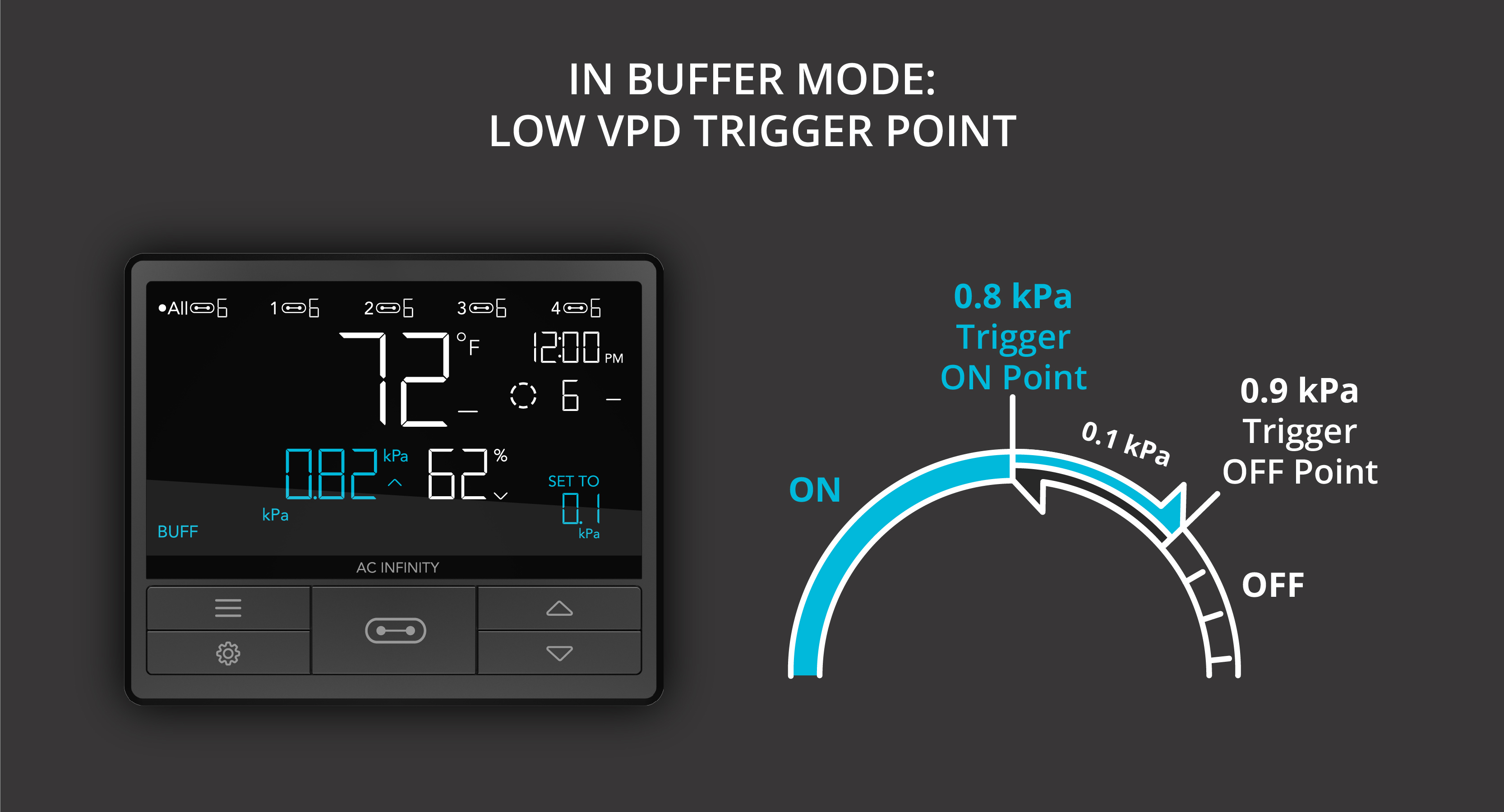
For low VPD triggers, the buffer creates a shut-off point above your set value. Example: if you've set the low VPD trigger at 0.8 kPa and set the VPD buffer to 0.1 kPa, your device turns on as soon as the value reaches or drops below 0.8 kPa — and won't turn off again until it rises above 0.9 kPa. The value 0.9 kPa results from adding the VPD buffer (0.1 kPa) to the low VPD trigger (0.8 kPa).