

Introduction
This setting establishes maximum and minimum limit values within which your device can operate in other modes. Unlike other settings, the maximum and minimum values are set in ON mode and OFF mode, respectively. Once defined, they automatically apply in all other modes. Reminder: levels can be set from 0 to 10, where level 0 turns the device off and level 10 activates full power. This lets you regulate fan speed or adjust the brightness of grow lights. This setting affects AUTO mode, TIMER TO ON mode, TIMER TO OFF mode, Cycle mode, and Schedule mode. This feature is only available on UIS™ controllers.
Maximum Value Setting (ON Mode)
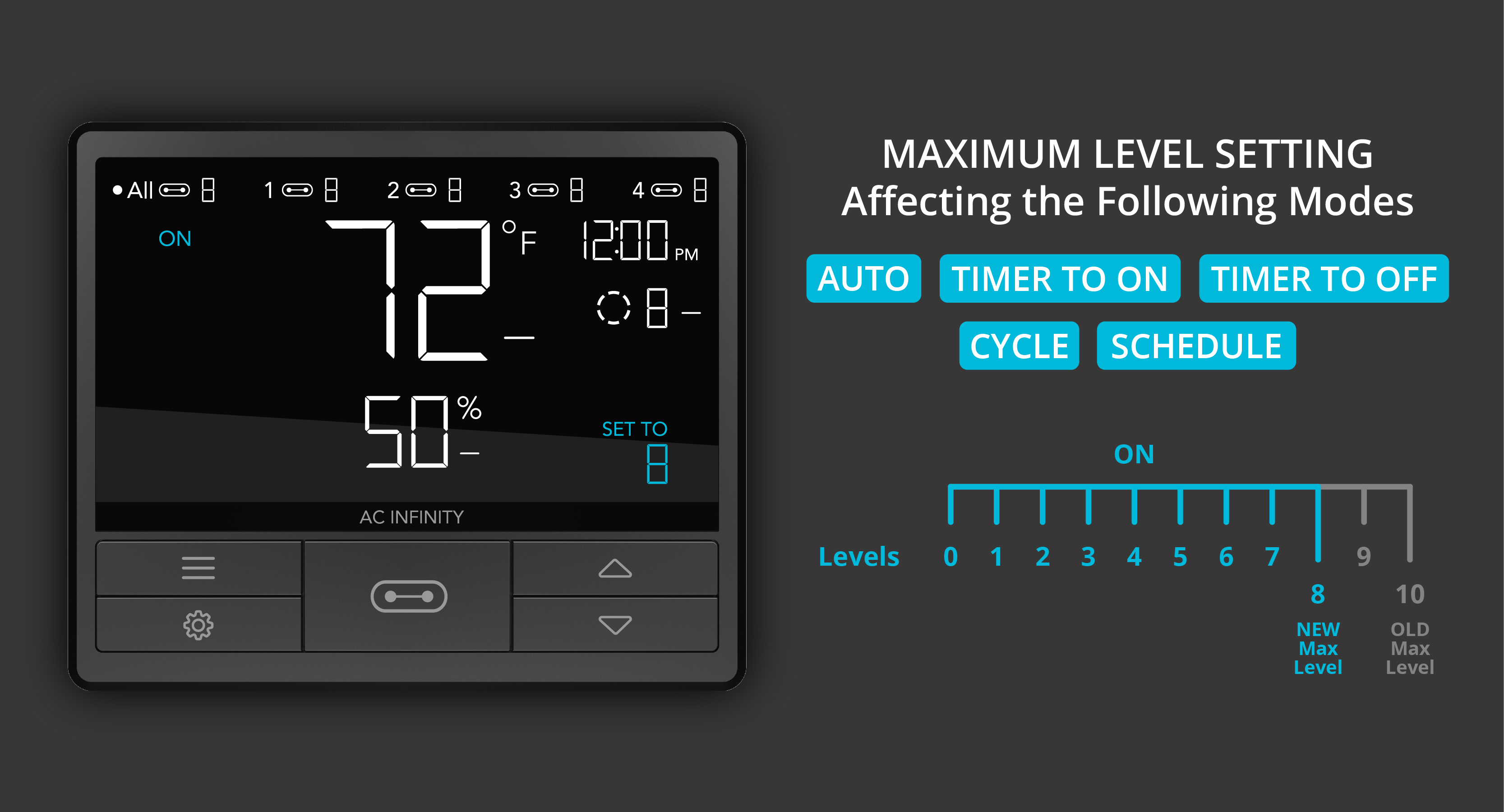
The number you set in ON mode is the maximum value your device can reach in all other modes. Example: you set level 8 in ON mode, then switch to AUTO mode, where your device is triggered by temperature or humidity. In this case, your device will always run at level 8 when it turns on. If a Transition setting is active, your device will gradually increase its level until it reaches level 8. Don't set the maximum value to 0, or your device would remain off when it's meant to be activated in other modes.
Minimum Value Setting (OFF Mode)
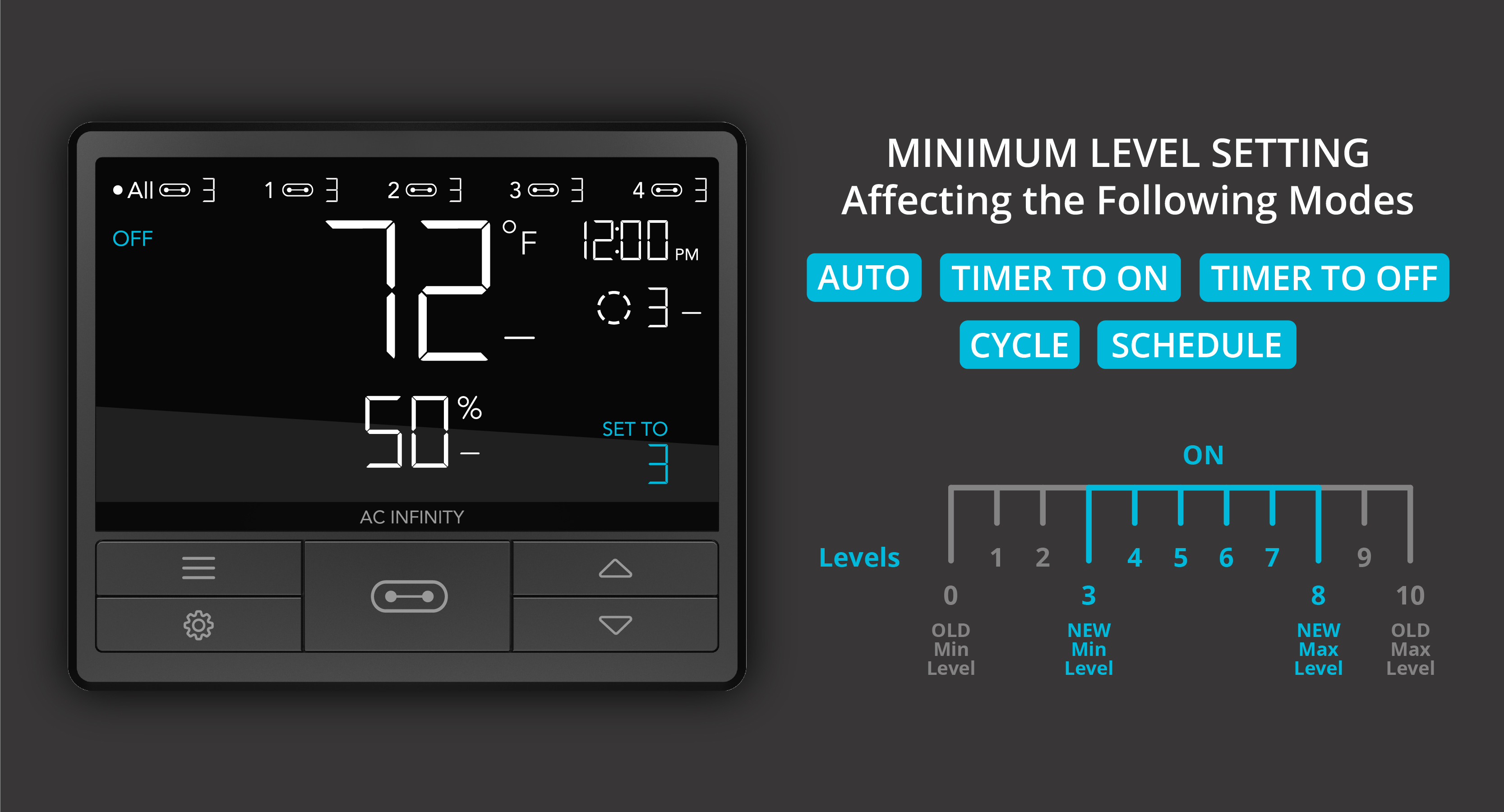
The number you set in OFF mode is the minimum value at which your device continuously runs in all other modes. Devices thus run continuously at this baseline level, even when not actively turned on. Example: you set level 3 in OFF mode and switch to AUTO mode. In this case, your device will run continuously at level 3 until it's triggered by temperature or humidity. If a Transition setting is active, your device's gradual increase will begin from level 3. If you want your device to fully shut off in the OFF state, set the minimum value to 0.