





ADVANCE Tab
In this section, you can program automated controls, alarms, and notifications for individual commands. To create an advanced program, tap the "+" icon in the bottom right of your screen. Then select the desired function. You can turn it on or off at any time by tapping the slider on the right side of your screen.
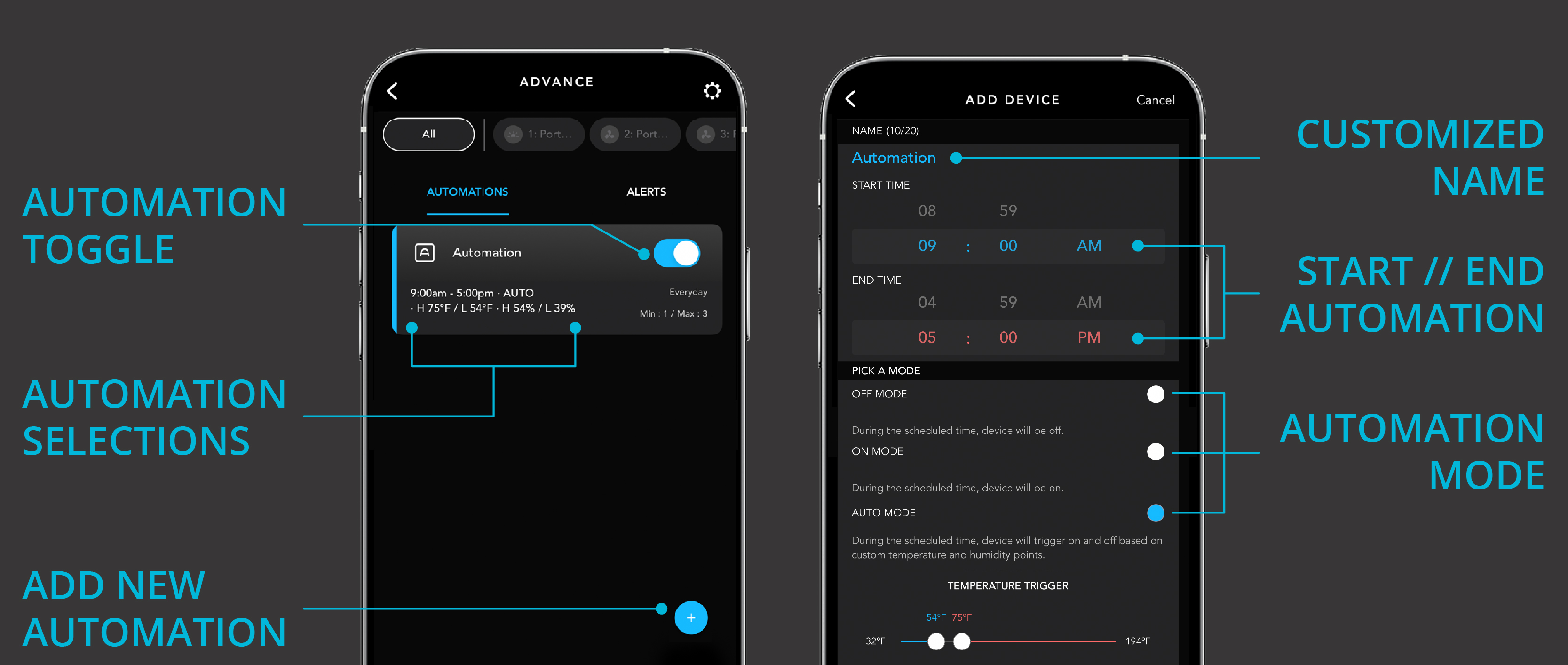
Automation
With an automation program, you can activate a function at specific times of day. Here you can give the program a name, set the start and end time, and choose from the functions listed below. When you're done, tap the confirm button to save the automation program.
- ON
- OFF
- CYCLE
- AUTO Mode


