





Introduction
AUTO mode includes four triggers: high temperature, low temperature, high humidity, and low humidity. Press the Mode button to display the corresponding trigger, then use the Up and Down buttons to set the trigger value. In AUTO mode, all four triggers can be active at the same time, even if you're currently viewing a different trigger. Disable any triggers you're not using by pressing the Up and Down buttons simultaneously, so they don't interfere with your active programs. Most applications only need one trigger. Please note: AUTO mode triggers can also be affected by your Max/Min, Transition, and Buffer settings.
AUTO Mode (High Temperature Trigger)
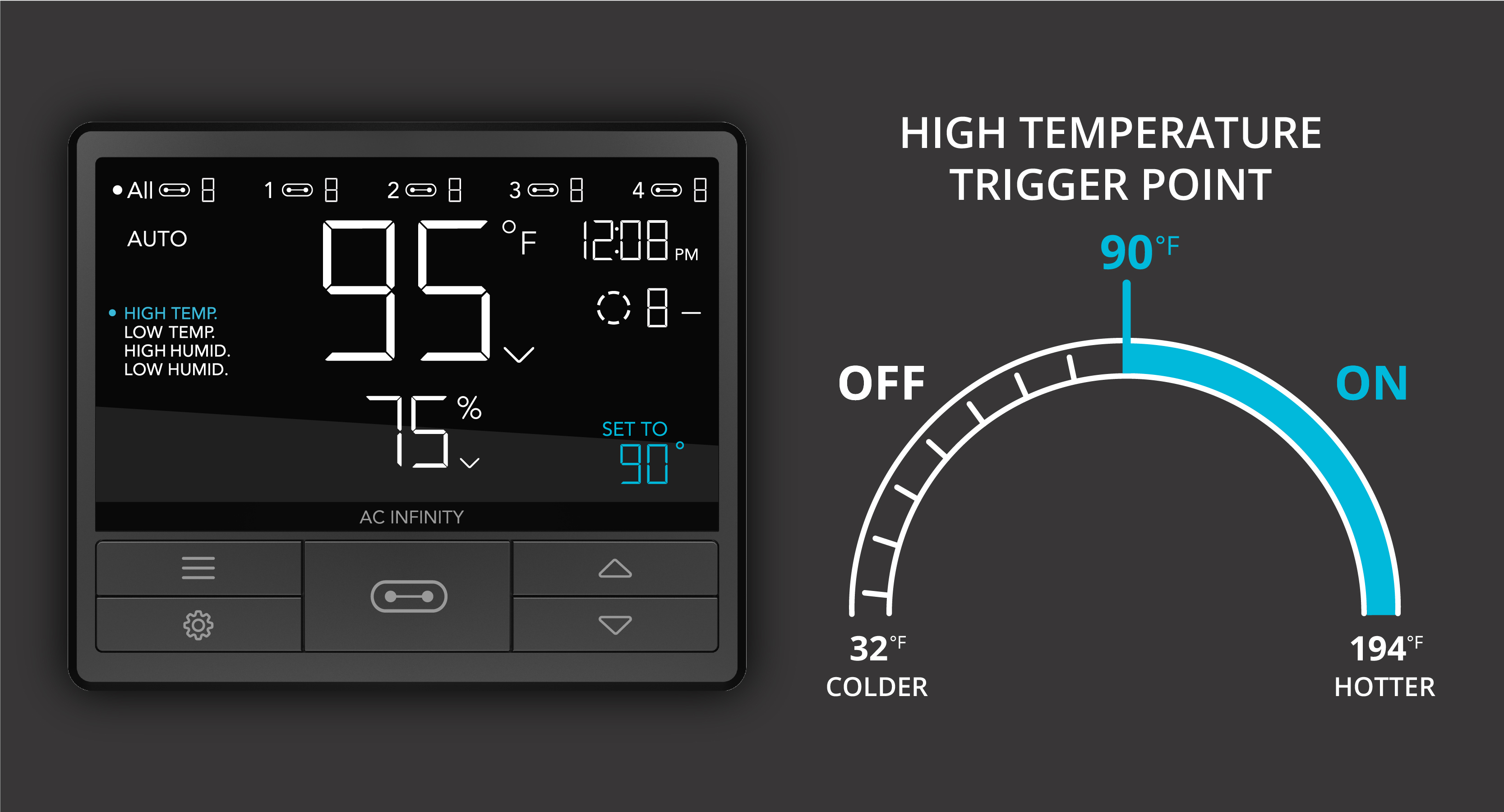
The high temperature trigger activates your device when the temperature reaches or exceeds the set value. Typical application: air conditioners or fans that lower the temperature when it gets too hot. Example: if you set a high temperature value of 90°F (32°C), the device turns on at 90°F or higher and turns off again once the temperature drops below 90°F.
AUTO Mode (Low Temperature Trigger)
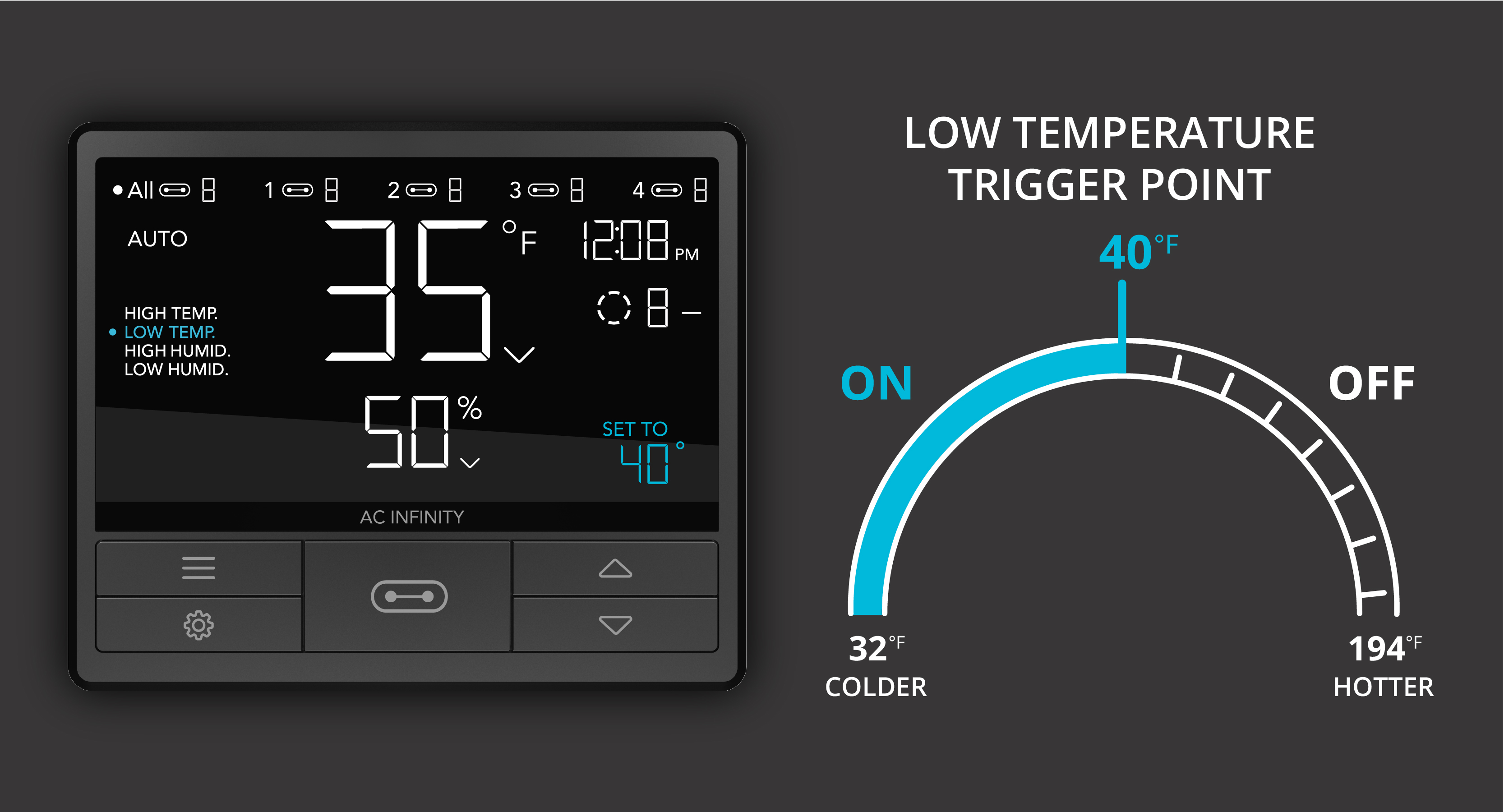
The low temperature trigger activates your device when the temperature reaches or falls below the set value. Typical application: heaters or heat mats that raise the temperature when it gets too cold. Example: if you set a value of 41°F (5°C), the device activates at 41°F or lower and deactivates again once the temperature rises above 41°F.
AUTO Mode (High Humidity Trigger)
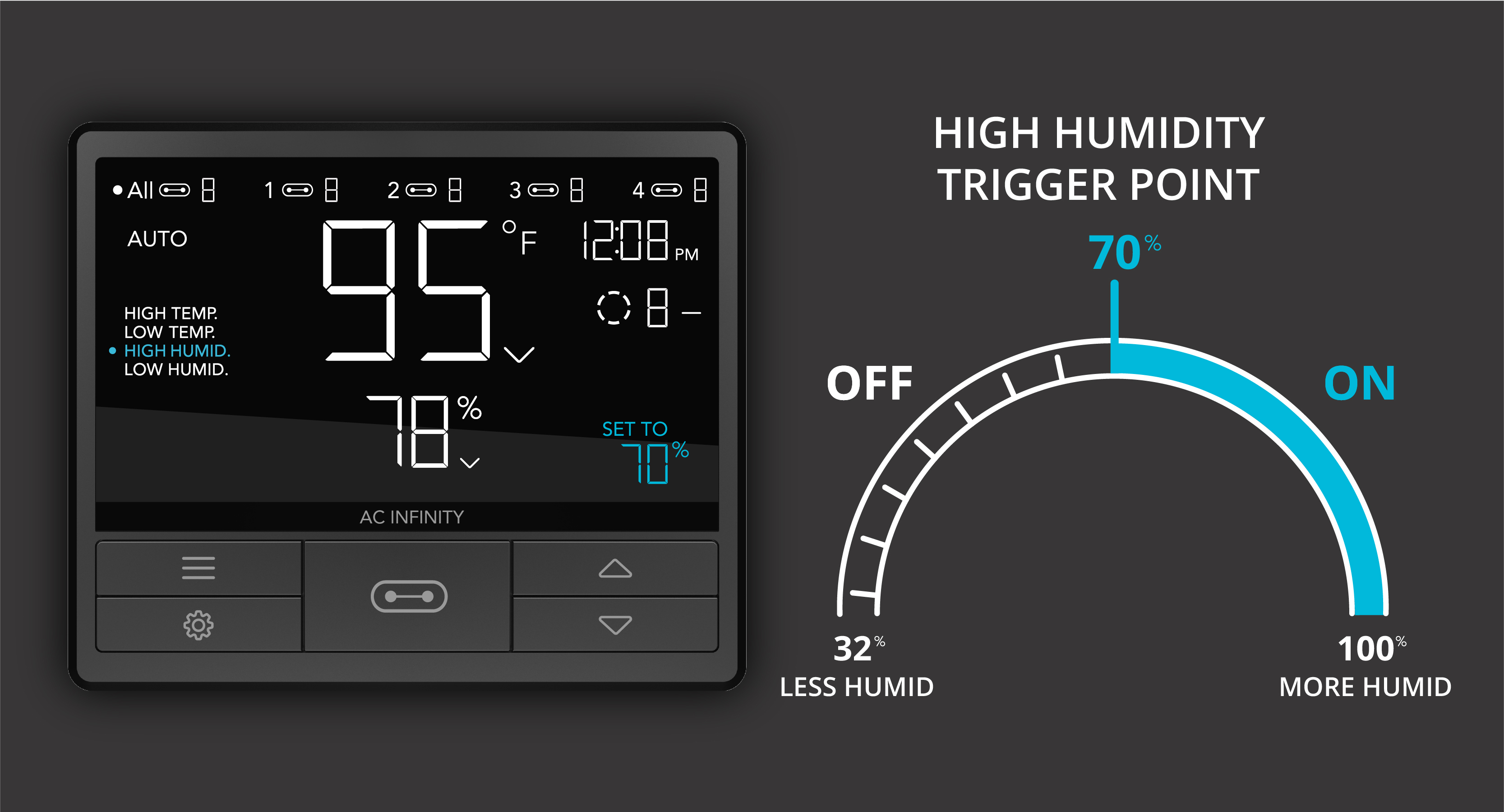
The high humidity trigger activates your device when relative humidity reaches or exceeds the set value. Typical application: dehumidifiers that reduce humidity when it gets too damp. Example: with a setting of 70% RH, your device activates at 70% or higher and turns off again once humidity drops below 70%.
AUTO Mode (Low Humidity Trigger)
The low humidity trigger activates your device when relative humidity reaches or falls below the set value. Typical application: humidifiers that raise humidity when it gets too dry. Example: with a setting of 50% RH, your device activates at 50% or lower and deactivates again once humidity rises above 50%.

Settings That Affect Your Programming
- Max and Min Level Settings – All programming modes can be limited by these values. When the device is "triggered off," it runs at your set minimum. When activated, it runs up to the set maximum. These values correspond to the levels you've set in ON and OFF modes.
- Transition Setting – Lets the device dynamically adjust its power levels, based on the difference between the actual value (temperature/humidity) and your target value.
- Buffer Setting – Applies to outlet devices that can only be turned on or off. Adds a "bandwidth" around the trigger so the device doesn't deactivate again too quickly when values fluctuate.


