

SETTINGS Page
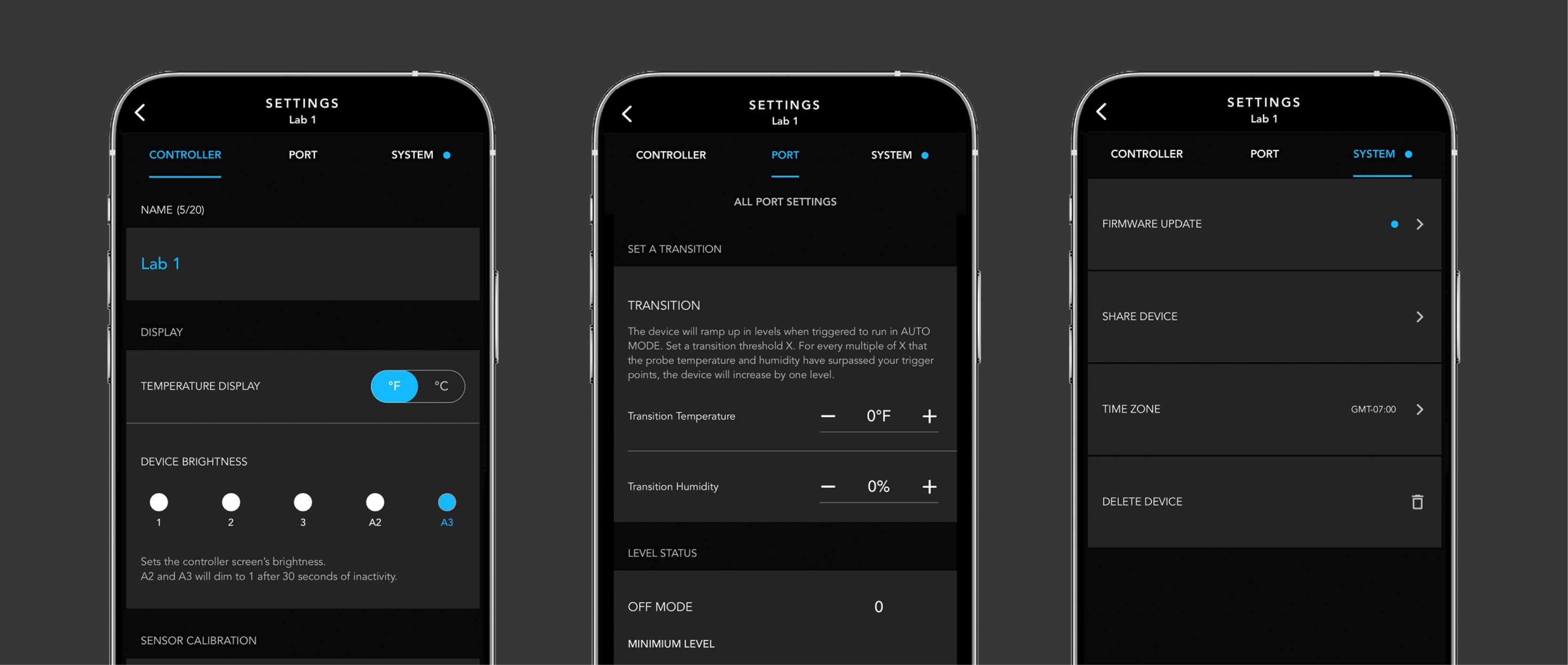
Tap the gear icon in the top right of your screen to access the controller settings. Here you can configure your controller's display, adjust climate values, and change the device name.
In this menu you'll find a toggle to switch between the Celsius and Fahrenheit scale. You can also set the controller's display brightness to one of three fixed levels [1, 2, and 3] or two auto-dim modes [A2 and A3]. Sliders make it easy to adjust transition and calibration settings, such as how often your fan changes speed or how temperature and humidity values are displayed.
Once you've finished your settings, tap the confirm button to apply the changes. You can also cancel your changes or remove the device from the app.